Just you and your computer.
Mix with the keyboard and on-screen controls. Cue, scrub, adjust pitch and shape your transitions without a controller.
 RECORD KNIFE
Prepare your collection. Perform your way.
Take it anywhere with Universal USB.
 Windows
 Mac
 Linux System requirements ↓
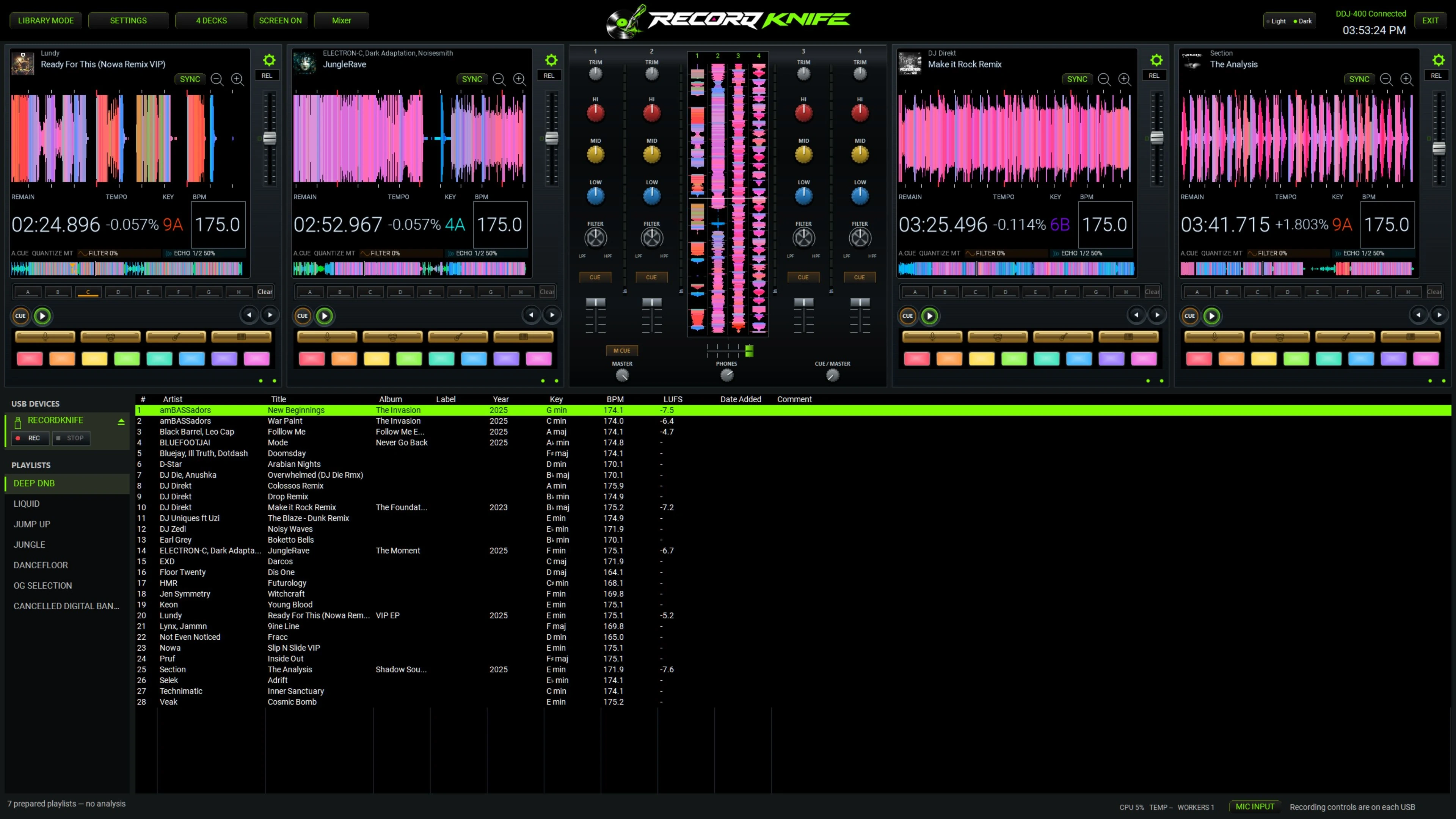
Explore the interface up close ↗
Performance Mode puts two or four decks, a mixer, waveforms and the track browser on your laptop. Connect a DJ controller and anyone in the booth can plug in their Universal USB, load a playlist and take a turn. Cue the next track in your headphones and mix with the faders, pads and jog wheels.
Mix with the keyboard and on-screen controls. Cue, scrub, adjust pitch and shape your transitions without a controller.
Bring hands-on control to the decks, mixer, hot cues, loops and effects. MIDI controller mapping puts the performance under your fingers.
Use HID players or control vinyl with DVS. Route channels through your audio hardware and combine control methods across your setup.
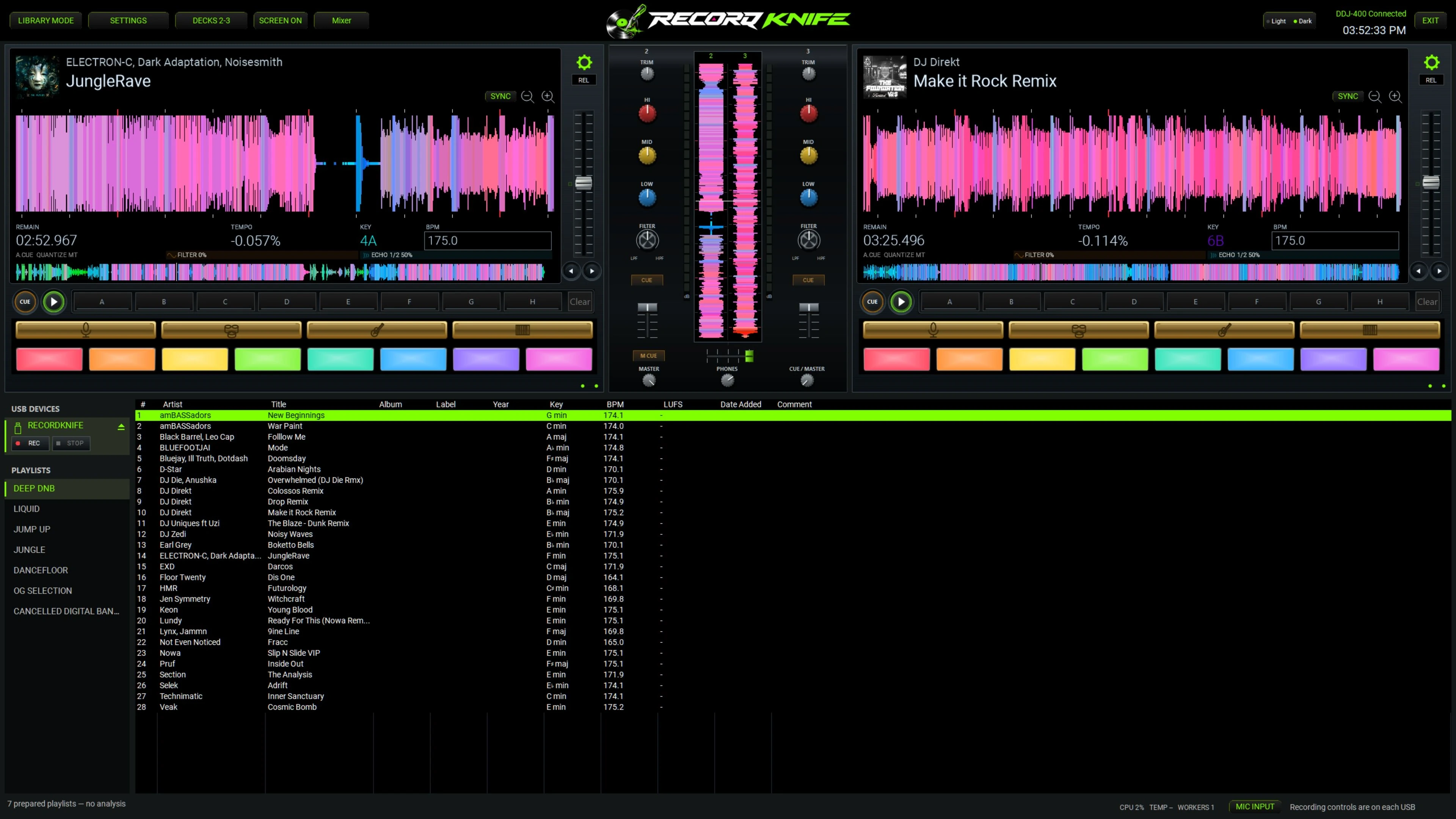
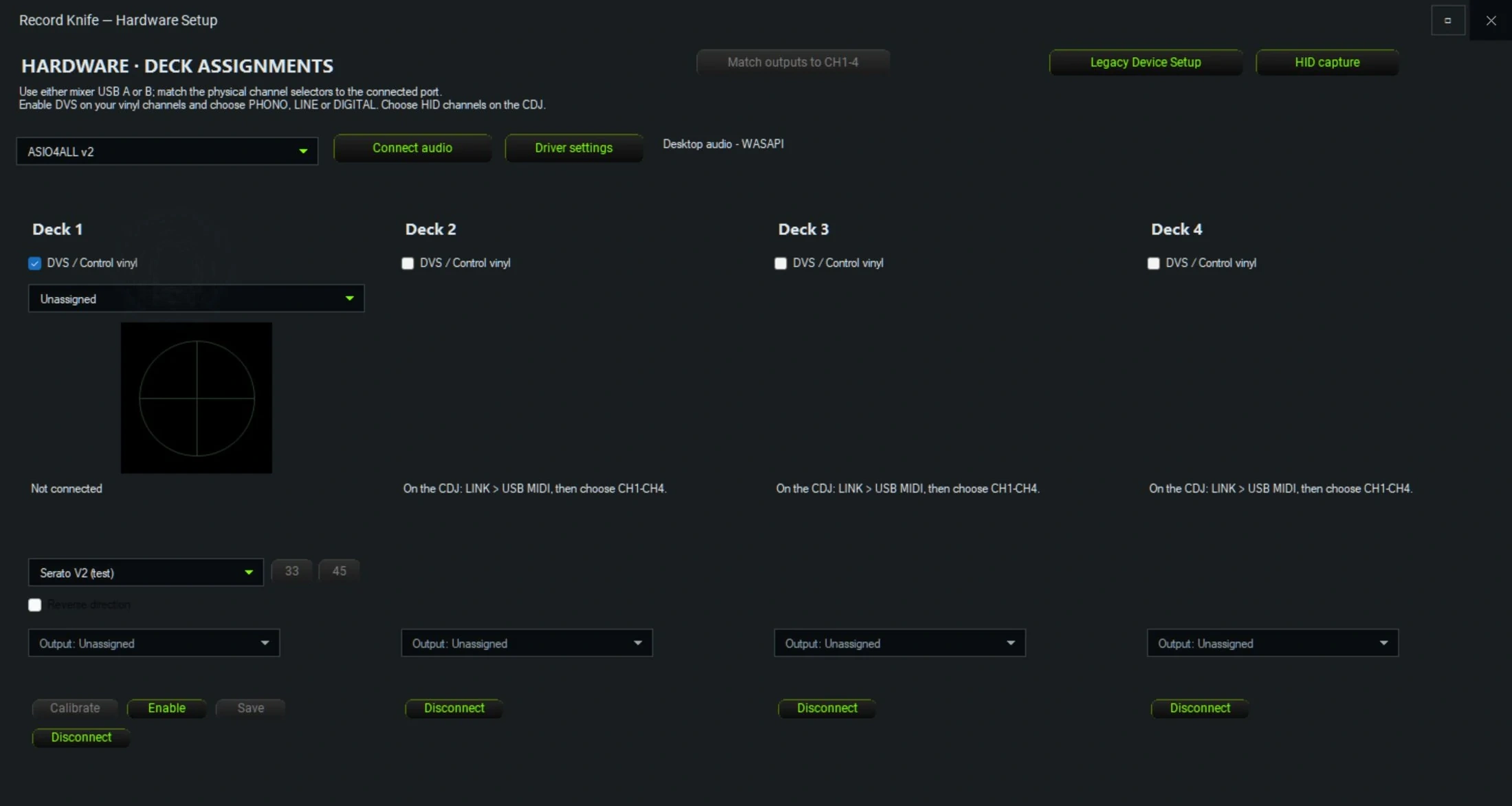
Trim, three-band EQ, filters, channel faders, crossfader assignment, headphone cueing and an optional EQ isolator. Vertical waveforms keep the decks in view.
Work with vocals, drums, bass and instruments through stems. Trigger samples from the pads while the decks keep playing.
Playing back-to-back? Both DJs can take home the set. Under USB Devices, press REC on each drive you want to record to. All connected drives can record the same mix simultaneously, each with its own timer and stop control. Each USB saves a stereo, 48 kHz WAV in its Recordings folder.
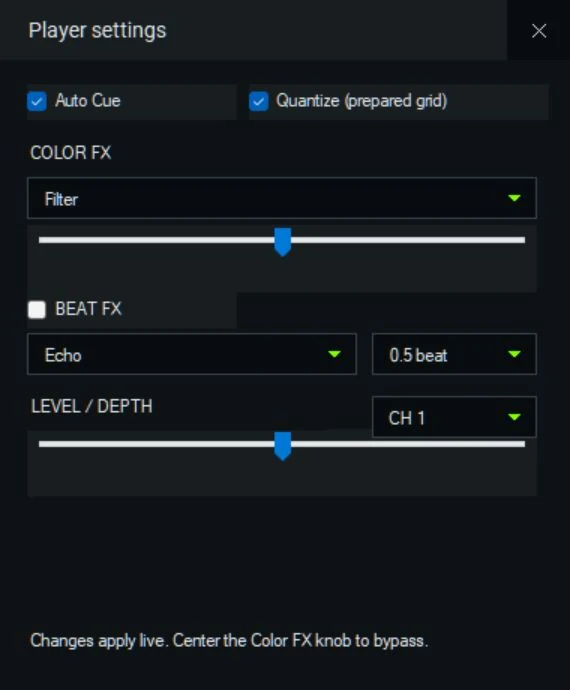
Color FX. Beat FX. Pad FX. CDFX. Four ways to put your signature on the sound, from a measured filter sweep to a jog-controlled twist.
Sweep from the center. Shape the sound with a single knob.
Build movement with timed effects, adjustable depth and beat divisions.
Punch in a roll, stop the vinyl, throw an echo or spin it back.
Turn the jog into an effects control.
One USB. One set of audio files. Your playlists, titles, artwork and cues prepared for the DJ systems you use. Stop building a different collection for every booth.
Universal USB builds the libraries around the same audio. Take your preparation between standalone players and desktop DJ software without duplicating the whole music collection.
Already have a DJ stick? USB Doctor can prepare, repair and convert an existing drive to Universal USB.
Play on Pioneer DJ and AlphaTheta CDJ and XDJ systems, OPUS-QUAD, OMNIS-DUO, Denon DJ PRIME and SC models, Numark Mixstream Pro, Pro+ and Pro Go, and Rane SYSTEM ONE.
Explore hardware and software compatibility ↗Import your prepared tracks into Traktor to load their embedded cues.
Your hard drive is the library. Record Knife is the toolkit. Keep the work with your tracks, from the first edit to the next computer.
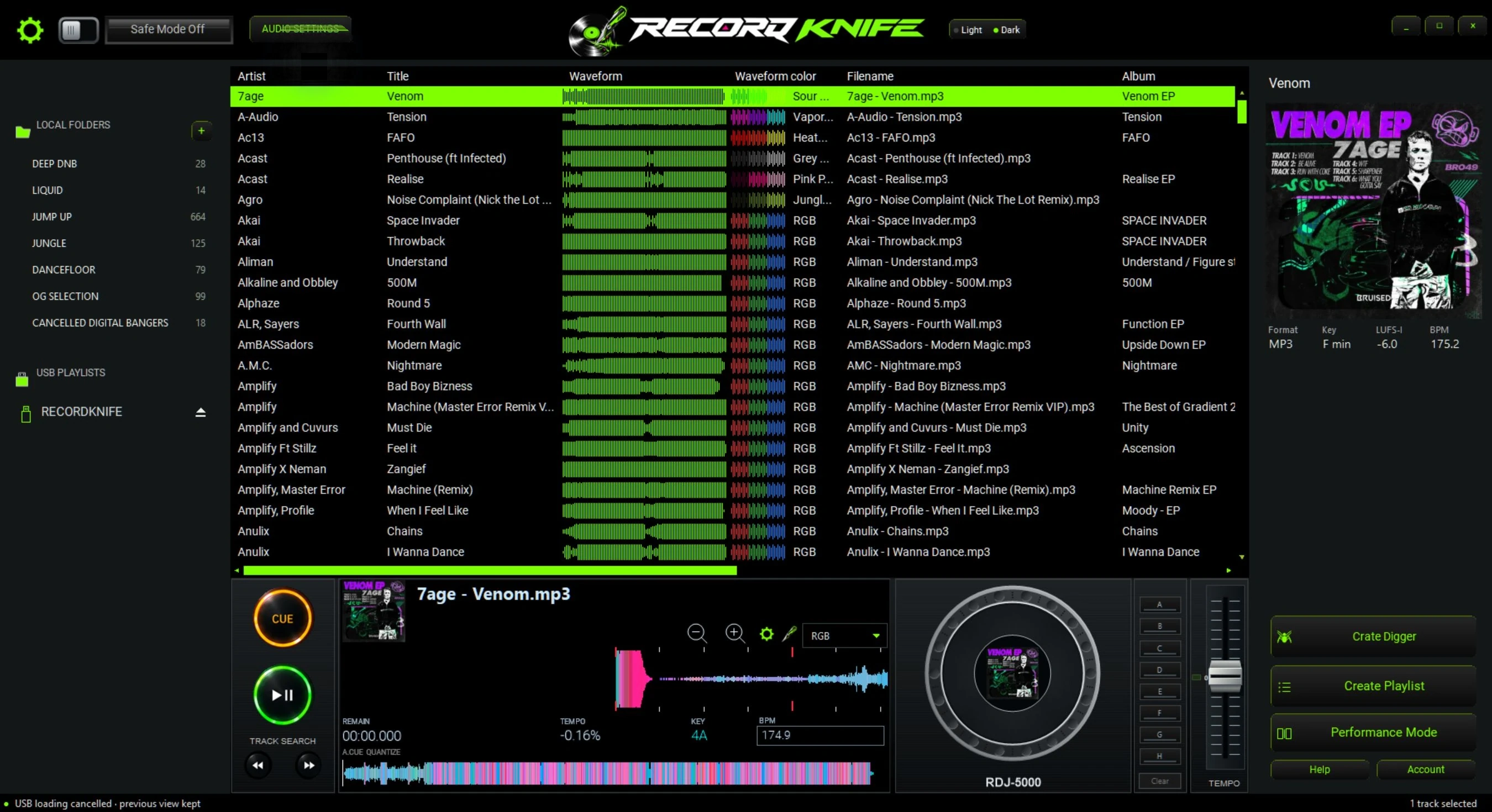
Find your moments and make them permanent. Set a hot cue in the player. The original track and its linked Universal USB copy update in the background, without another export. Cue Intelligence keeps hot cues in sync across DJ software for MP3, WAV, FLAC and AIFF files, so a new computer or a new DJ application does not mean starting over.
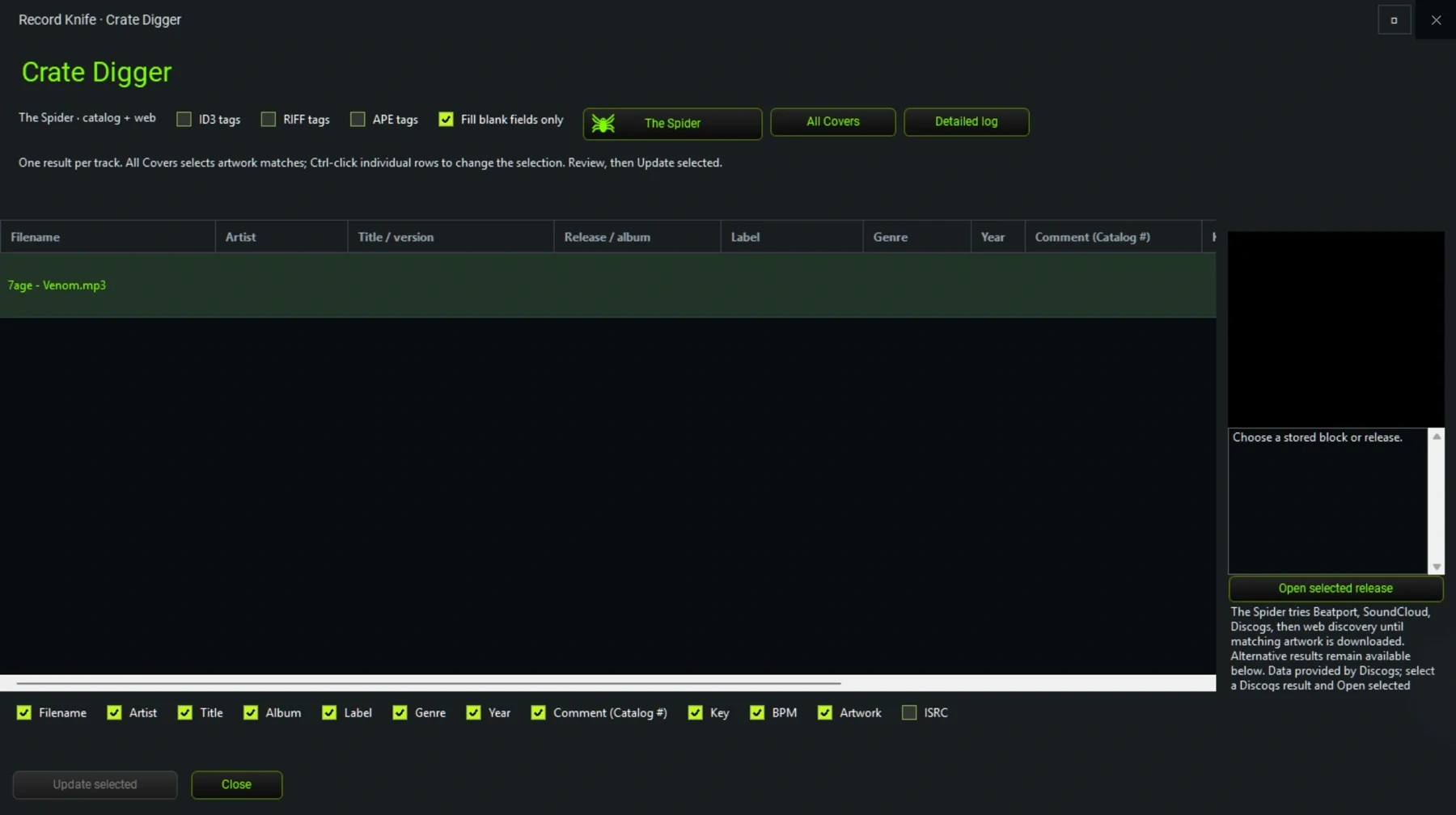
Select a batch of tracks in Local Folders and open Crate Digger. Click The Spider to search for matching releases and cover art. Compare the artist, title and mix version before choosing a match. Pick the fields to save, or use Fill blank fields only to keep your existing tags and artwork.
See the Crate Digger workspace ↗Prepare a fresh drive, repair an existing one, check performance, back it up or convert it to Universal USB. Keep the practical drive work in the same place as your playlists.
Scrub with the jog wheel, zoom in on the waveform and trim front silence at the cursor. Switch between the light and dark interfaces. Edit names, tags and artwork, then check BPM and key. Level loudness, convert audio formats and choose a waveform color scheme for each track. Reusable analysis stays with the track. Safe Mode asks before permanent edits to the audio. Back up your master collection before trimming, converting or leveling tracks.
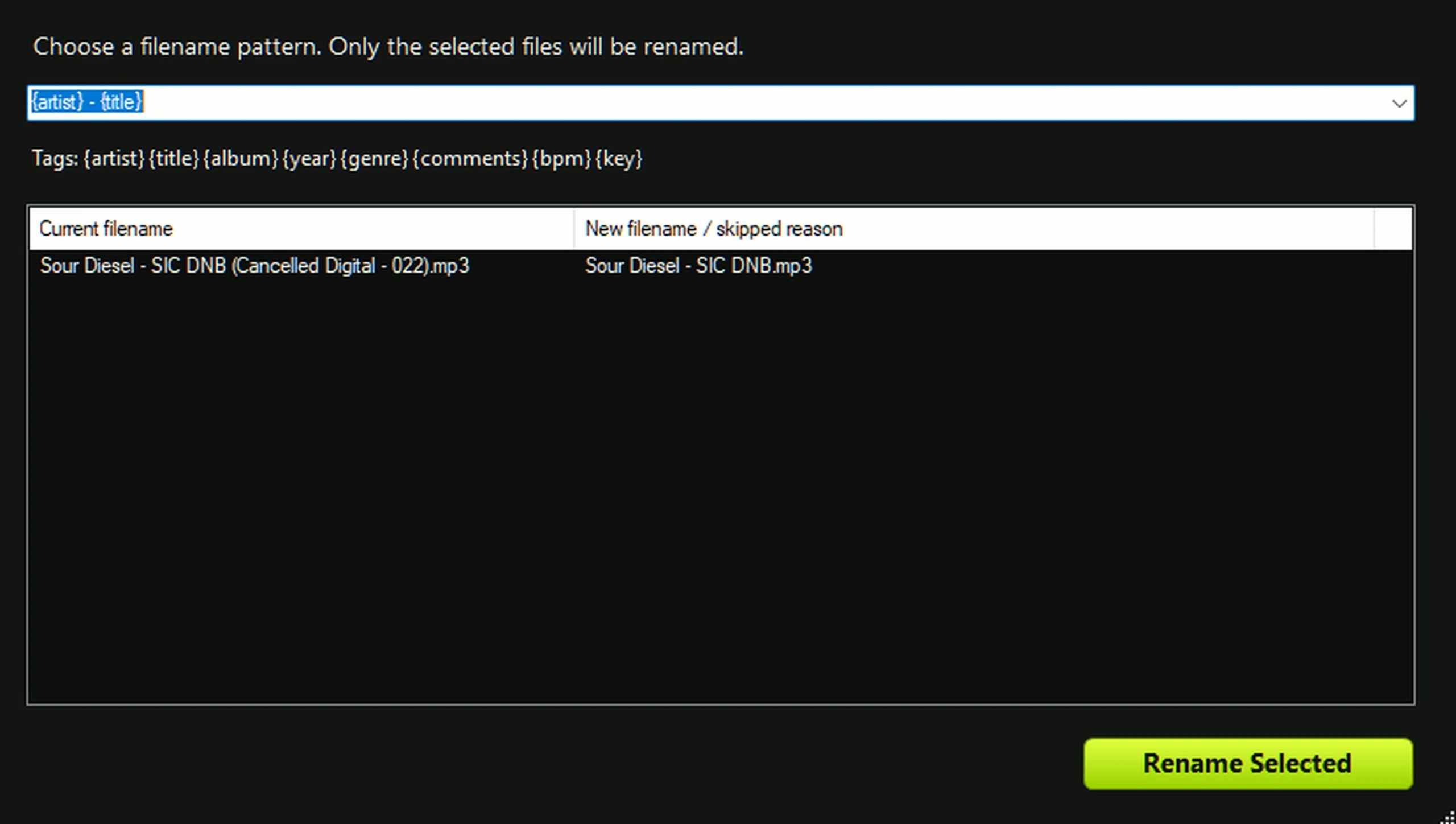
Select tracks in Local Folders. Bulk Filename previews the current and proposed filenames side by side. Use a pattern like artist and title to name the batch consistently. Bulk Field Edit writes a shared value, such as a label or genre, to every selected track. For a single correction, select a cell and press F2.
Pick a palette for each track. Select a waveform below to see the actual player image at full size. For Triband, choose 3Band in the hardware device menu.
Integrated graphics are sufficient. On Windows, an NVIDIA GeForce GTX 16 series, RTX 20 series or newer with a compatible driver can accelerate RGB waveform processing with CUDA.
You need internet access for account sign-in and activation. Allow space on your computer for your collection and on your USB drive for the tracks you export.
Prepare one track at a time and export a Universal USB with up to 100 tracks across 10 playlists. USB Doctor includes drive checks, repair and standard formatting up to 32 GB.
Prepare tracks in batches, find missing tags and artwork with Crate Digger, and export without track or playlist limits. Convert an existing drive to Universal USB and format FAT32 drives larger than 32 GB. One purchase includes lifetime updates.
From Sour Diesel’s crate to the booth. Notes on track prep, DJ gear and playing out.
Read all Field Notes ↗A complete suite for the collection and the performance. Get release news in your inbox.
Manage your account & Pro access ↗One-time purchase. No subscription.